
 Skip to content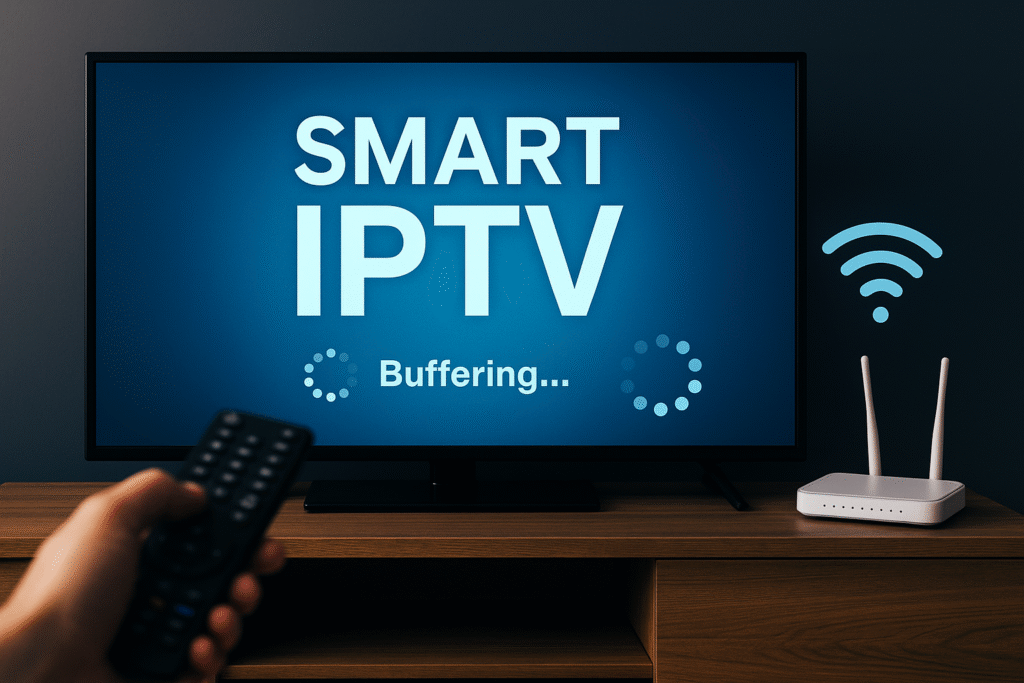
Smart IPTV has become one of the most popular ways to watch TV online. It allows users to stream live channels, movies, and series directly from the internet using an IPTV subscription. However, even with a good setup, many users face one common issue — buffering and connection problems.
If your Smart IPTV keeps freezing or loading endlessly, don’t worry. This guide will show you how to fix buffering, improve your connection, and make your Smart IPTV experience smooth and enjoyable again.
Before fixing the issue, it’s important to understand what causes it. Here are the main reasons your Smart IPTV may buffer:
Slow Internet Speed: IPTV streams high-quality video, which requires stable bandwidth.
Overloaded Wi-Fi Network: Too many connected devices can cause connection drops.
Server Congestion: Sometimes the IPTV provider’s servers are overloaded.
Outdated App or Device: Old versions of the Smart IPTV app may cause errors.
ISP Throttling: Some Internet Service Providers slow down IPTV traffic intentionally.
Knowing the cause helps you choose the right solution.
A stable internet connection is the foundation of a smooth Smart IPTV experience.
For SD channels, you need at least 5 Mbps.
For HD channels, at least 10 Mbps.
For 4K content, a minimum of 25 Mbps is recommended.
👉 Use an online speed test like speedtest.net to check your connection.
If the results show slow speeds, restart your router or contact your ISP. If your internet speed is fine but buffering continues, move on to the next solutions.
Wi-Fi connections are convenient but not always stable, especially when streaming Smart IPTV.
To reduce buffering:
Connect your Smart TV or Android Box directly to the router using an Ethernet cable.
This provides a faster and more stable connection.
Even if you have a good Wi-Fi network, wired connections always perform better for IPTV streaming.
DNS (Domain Name System) plays a big role in how fast your device connects to IPTV servers.
Sometimes, using your ISP’s DNS can slow down connections.
Try switching to a public DNS such as:
Google DNS: 8.8.8.8 / 8.8.4.4
Cloudflare DNS: 1.1.1.1 / 1.0.0.1
This can speed up your Smart IPTV connection and reduce buffering significantly.
Many buffering issues come from using outdated versions of the Smart IPTV app.
Steps to update:
Visit the official Smart IPTV website.
Download the latest version compatible with your device (Smart TV, Android, Firestick, etc.).
Uninstall the old app and install the new one.
Once updated, restart your device and test your streams again.
Over time, the Smart IPTV app collects cached data that can slow it down.
Go to your device’s Settings → Apps → Smart IPTV → Storage
Tap Clear Cache and Clear Data
Restart the app and reload your playlist
This simple step often fixes small glitches and lag issues.
Sometimes, the issue isn’t your internet or device — it’s your playlist.
Make sure your IPTV provider gives you high-quality, stable links (M3U or Xtream Codes).
If your current provider’s links frequently freeze or go offline, contact support or try a different playlist source.
A good IPTV provider ensures 99% uptime and regular maintenance to prevent connection drops.
Running too many apps or background processes can slow down your device.
For the best Smart IPTV performance:
Close all unused apps
Disable automatic updates during streaming
Free up internal storage
Restart your device before watching
This gives more resources to the IPTV app, improving speed and reducing buffering.
Sometimes, buffering happens simply because too many users are streaming at the same time — especially in the evening.
If possible, try watching during off-peak hours or switch to lower-quality streams (720p instead of 1080p or 4K).
If your Internet Provider throttles IPTV traffic, using a VPN (Virtual Private Network) can help.
A VPN hides your online activity, allowing you to bypass ISP restrictions.
Choose a VPN with:
High-speed streaming servers
No bandwidth limits
Servers near your region
Recommended VPNs for Smart IPTV include NordVPN, ExpressVPN, and Surfshark.
Once connected, restart the Smart IPTV app and test again — you’ll often notice an immediate improvement.
It may sound simple, but restarting your router, device, and Smart IPTV app can solve temporary connection errors.
Unplug the router for 30 seconds, restart your TV or box, and reopen the app.
This clears temporary network conflicts and resets your connection.
If you’ve tried everything and buffering still happens, reach out to your IPTV provider’s support team.
Provide them with details like:
Your subscription username
The device you’re using
The channels that buffer most often
A good IPTV provider will check the server or provide a new playlist link to fix your issue.
If you’re using an old router, Smart TV, or Android box, it may not handle modern streaming requirements.
Upgrading to:
A dual-band router (2.4GHz + 5GHz)
A newer Android TV Box or Firestick
Or a Smart TV with better hardware
…can drastically improve your Smart IPTV experience and stop buffering for good.
Smart IPTV is a powerful way to enjoy live TV, movies, and sports from anywhere. However, buffering and connection issues can ruin the fun.
By following the solutions in this guide — checking your speed, updating the app, optimizing DNS, and using a VPN — you can fix most problems and enjoy smooth, high-quality IPTV streaming.
Always remember: a stable connection and reliable IPTV provider are key to getting the best from your Smart IPTV setup.
 Optimized by Seraphinite Accelerator